- Weddings
- Wording
How to word a wedding RSVP, with examples
What a wedding RSVP must ask, formal and casual wording you can copy, and how to phrase plus-ones, children and online replies without sounding stiff.
7 min read
One page holds the details, the reply form and the deadline. You see who is coming, who they are bringing and what they will eat, and who has not replied yet, without a spreadsheet or a group chat.
Free to host. No guest accounts.

You’re invited to
Here’s to forever.
A little ceremony. A lot of love.
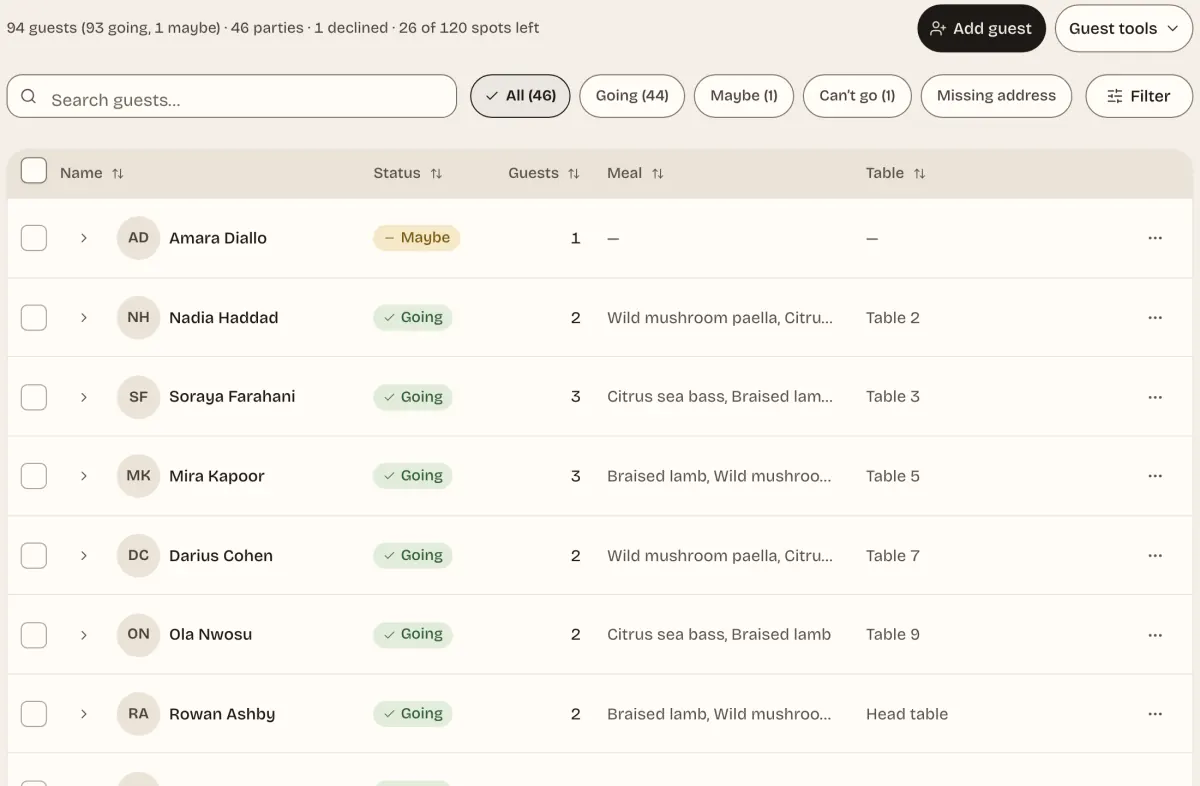
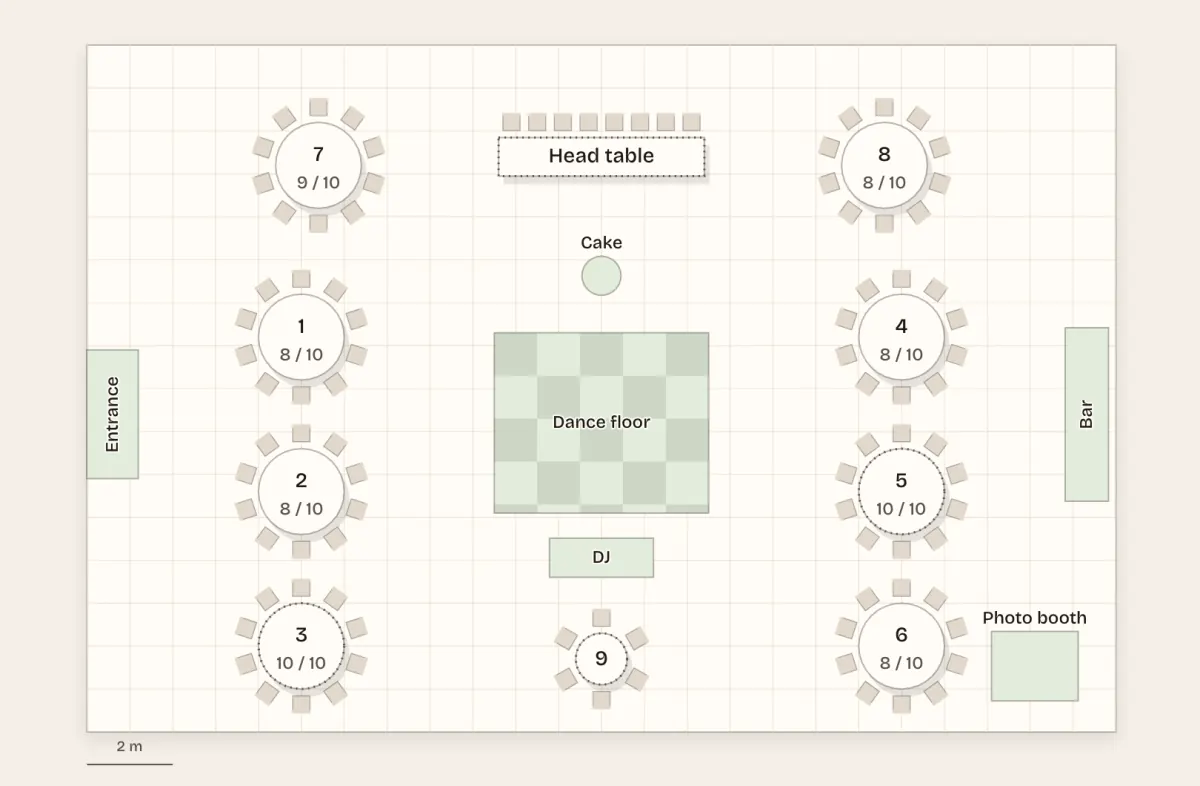
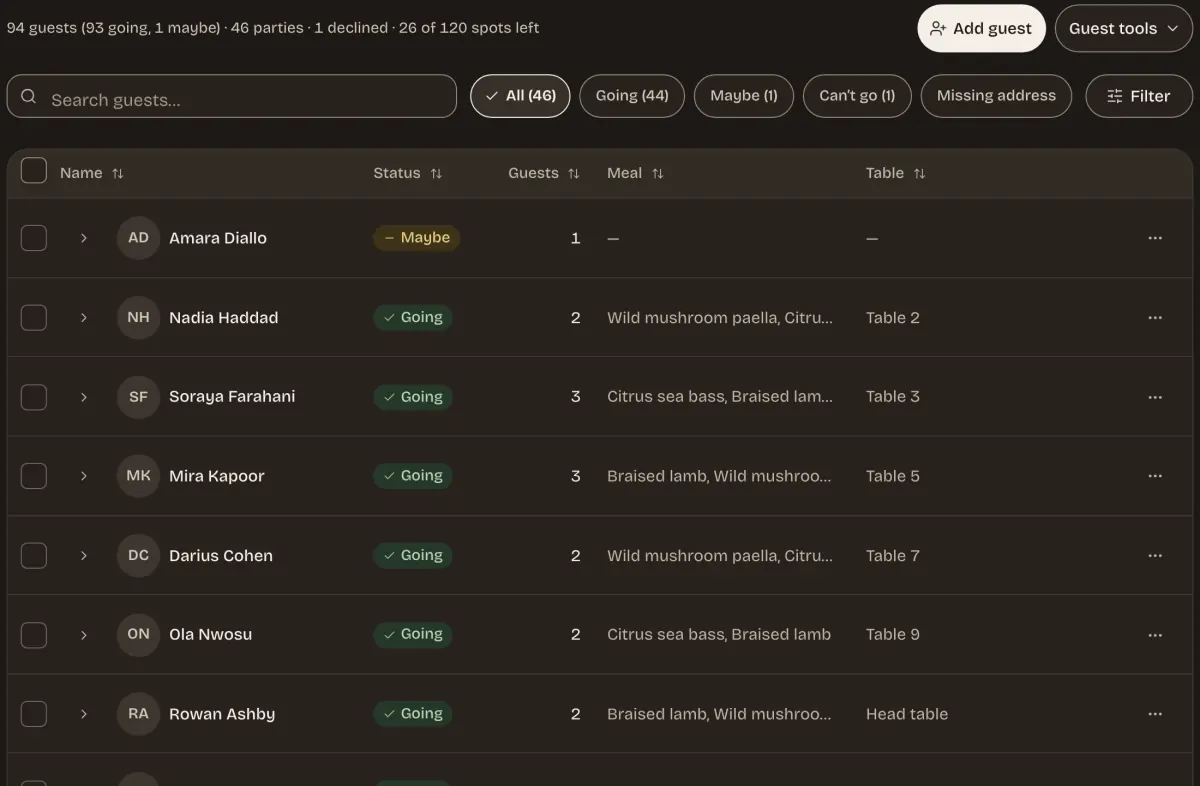
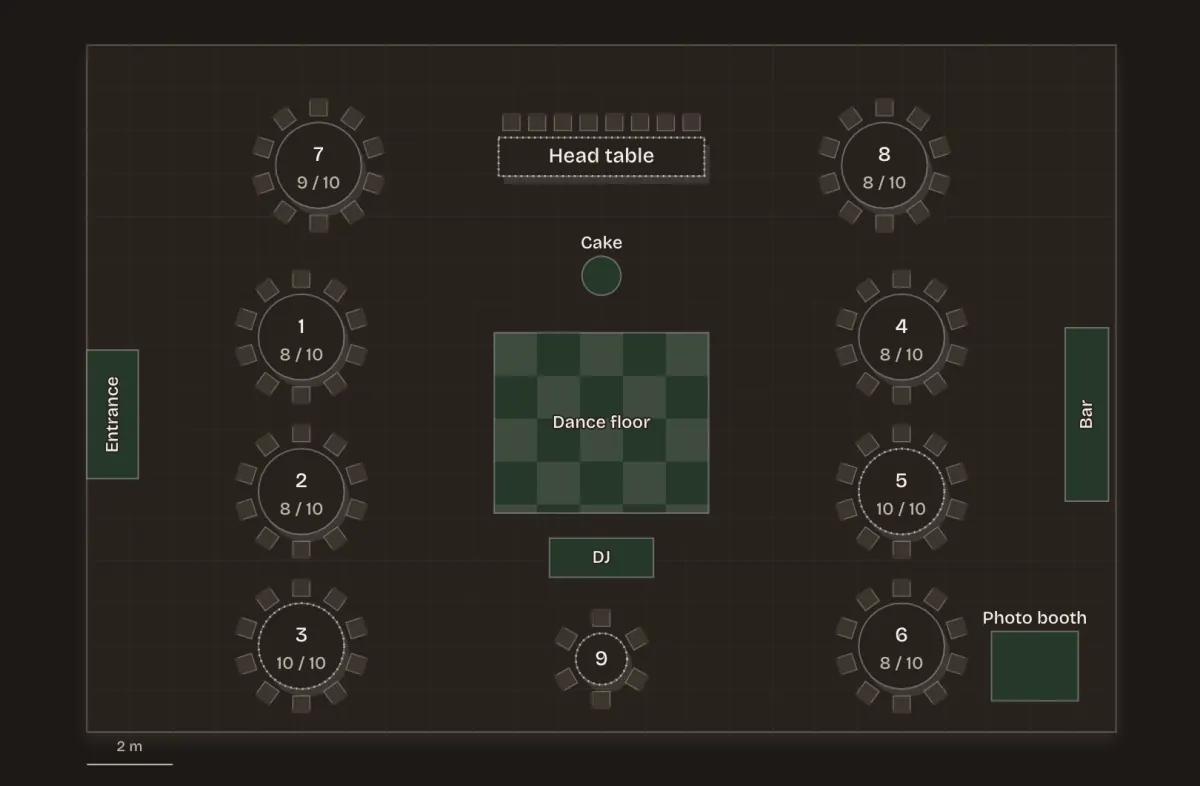
Screens from a demo event with made-up guests.
Set one plus-one limit for everyone, from none up. When one household needs a different number, give it a personal link with its own seat allowance. Guests give every name when they reply.
Add each household once, with a link of its own and the number of seats it may fill. Households you invited by email get a reminder 7 and 2 days before your reply-by date if they have not answered. You can also send each household a link to add its own postal address, then print address labels.
Add a choice question and each person in a party picks their own dish, with a dietary note and a child marker of their own. You see the tally per option and a kitchen headcount by dietary need.
Import a CSV or XLSX, check which names matched, then arrange tables on a plan and print escort and place cards. Guests see their own table from their RSVP link, and the plan too if you switch it on.
Share the date now. Guests leave an email, and RSVPs open when you send the invitation.
Link welcome drinks, the ceremony and a farewell brunch, and guests answer the whole weekend in one reply while each event keeps its own guest limit and reply-by date. Add where to stay and a gift list guests can mark as bought.
Choose the Linen suite or another theme, add the date, the place and a few FAQs about dress code, children and parking, then add a meal question.
Send the one link in a message, put it on the printed invitation, or email it to your list from JoinMe.
Watch replies arrive on your private manage page: yes, maybe and no, plus-ones, meals and notes, with a CSV export for the caterer.
Anything else? Write to us.
No. Guests open the invite link and reply with no account and no app. Only the host needs a free JoinMe account to create the invite.
Yes. Add a choice question with your options. It is asked for every person in the party, so a plus-one picks their own, and you see the count per dish. A separate dietary field covers allergies and requirements.
Yes. You set one plus-one limit for the whole invitation, from none up. If one household needs a different number, invite it with a personal link and a seat allowance of its own. Guests who bring someone enter that person’s name with their reply.
Yes. Link the events as one weekend and the reply form lists each of them, with a choice per person. Each event keeps its own guest limit, waitlist and reply-by date. An event with questions of its own, or behind a different invite code, is answered on its own page.
Yes. Import a CSV or XLSX guest sheet, check which names matched, arrange tables on a plan and print escort and place cards. Guests see their own table from their RSVP link, and the plan only if you switch that on.
Choose unlisted and the invite is reachable only by the link you share, and is kept out of the directory and search results. Choose private and the details also stay hidden until a guest enters the invite code you set.
Replies close, and the page tells guests so. A guest who still needs to change something can contact you, and you can edit any reply from the guest list or reopen replies.
No. JoinMe is free for hosts and guests, with no paid tier. It does not sell tickets or take payments.
What a wedding RSVP must ask, formal and casual wording you can copy, and how to phrase plus-ones, children and online replies without sounding stiff.
7 min read
Work backwards from your caterer and venue to pick an RSVP date that holds, leave room to chase late replies, and know what to do about the guests who go quiet.
6 min read
The common plus-one policies, how to say yours on the invitation, and kind wording for the guests who ask for an exception or bring someone you did not invite.
7 min read
Turn your final RSVPs into a seating plan: set up the sheet, choose table shapes, group guests sensibly, then import it and check the room before you print.
7 min read
What a save the date does that an invitation cannot, what each should contain, and how to time them for a local wedding, a destination or a weekend of events.
6 min read